Matte VS Glossy Laptop Screen: Which Is Better for You?
Choosing between a matte vs glossy laptop screen isn’t just about appearance—it directly affects visibility, comfort, and how a device performs in real-world environments. While both options rely on similar display panels, the surface finish creates a noticeable difference in everyday use.
This guide explains the key differences in a clear, practical way, helping you understand how each type performs across various scenarios.
Matte VS Glossy Laptop Screen: Understanding the Core Difference
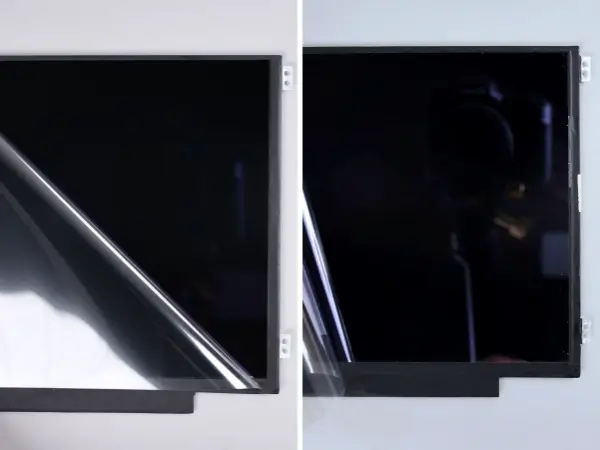
At the most fundamental level, a matte vs glossy laptop screen differs in how it handles light.
- Matte screens use an anti-glare coating that diffuses incoming light
- Glossy screens have a smooth surface that reflects light directly
This difference affects everything from readability to perceived image quality. Matte coatings reduce reflections, making screens easier to view in bright conditions. Glossy finishes, by contrast, preserve more direct light output, which enhances contrast and color vibrancy.
Matte VS Glossy Laptop Screen: Image Quality and Visual Experience
When comparing a matte vs glossy laptop screen, visual performance is often the most noticeable factor.
Glossy Screens
- Deliver richer colors and deeper contrast
- Provide sharper and more “crisp” image perception
- Perform best in controlled lighting environments
Matte Screens
- Slightly reduce perceived sharpness due to diffusion
- Offer more consistent visibility across different lighting conditions
- Minimize distractions caused by reflections
Glossy screens can look more impressive at first glance, especially when displaying high-resolution content. However, their reflective nature can quickly reduce usability if the environment isn’t ideal. Matte screens take a more balanced approach, prioritizing consistency over visual intensity.
Matte VS Glossy Laptop Screen: Glare and Real-World Usability
A critical part of the matte vs glossy laptop screen comparison is how each performs under different lighting conditions.
Glossy screens tend to act like mirrors under strong light sources, such as windows or overhead lighting. This can make it difficult to see on-screen content clearly, especially when reflections overlap with darker images.
Matte screens solve this by scattering light across the surface. While this slightly reduces contrast, it dramatically improves usability in bright or variable environments.
In everyday situations—offices, classrooms, or shared spaces—this difference often becomes more important than pure image quality.
Matte VS Glossy Laptop Screen: Use Cases in Education and Enterprise
In the context of education procurement, the matte vs glossy laptop screen decision is rarely balanced—matte dominates.
Why Matte Screens Are Standard in Schools
Most Chromebooks used in education are designed with matte displays. This is not accidental:
- Classrooms often have strong ambient lighting
- Students use devices for extended periods
- Eye comfort and readability are prioritized over visual vibrancy
For example, widely deployed education models like the Dell 3110 Chromebook and the Lenovo 500e Chromebook 3rd Gen typically feature matte panels. These devices are built for durability and usability rather than media consumption.
Enterprise Environments
In office settings, matte screens are also preferred due to:
- Reduced eye strain during long work sessions
- Better performance under mixed lighting conditions
- Lower complaint rates related to reflections
For organizations handling large-scale deployment or maintenance, matte panels align better with real-world usage patterns and expectations.
Matte VS Glossy Laptop Screen: Durability and Maintenance
Beyond visual performance, the matte vs glossy laptop screen choice also impacts day-to-day maintenance.
Matte screens tend to:
- Hide fingerprints and smudges more effectively
- Make minor scratches less noticeable
- Require less frequent cleaning
Glossy screens, on the other hand:
- Show fingerprints and dust more clearly
- Highlight scratches due to their reflective surface
- Often need more regular cleaning to maintain appearance
In high-usage environments, these small differences can significantly affect perceived product quality over time.
Final Thoughts on matte vs glossy laptop screen
The matte vs glossy laptop screen decision ultimately depends on how and where the device is used. Glossy screens offer stronger visual impact, while matte screens deliver better consistency and usability across a wider range of environments.
Rather than focusing only on brightness or color, it’s more practical to evaluate how the screen performs under real conditions. In most everyday scenarios, especially those involving variable lighting and extended use, matte screens provide a more reliable and comfortable experience.