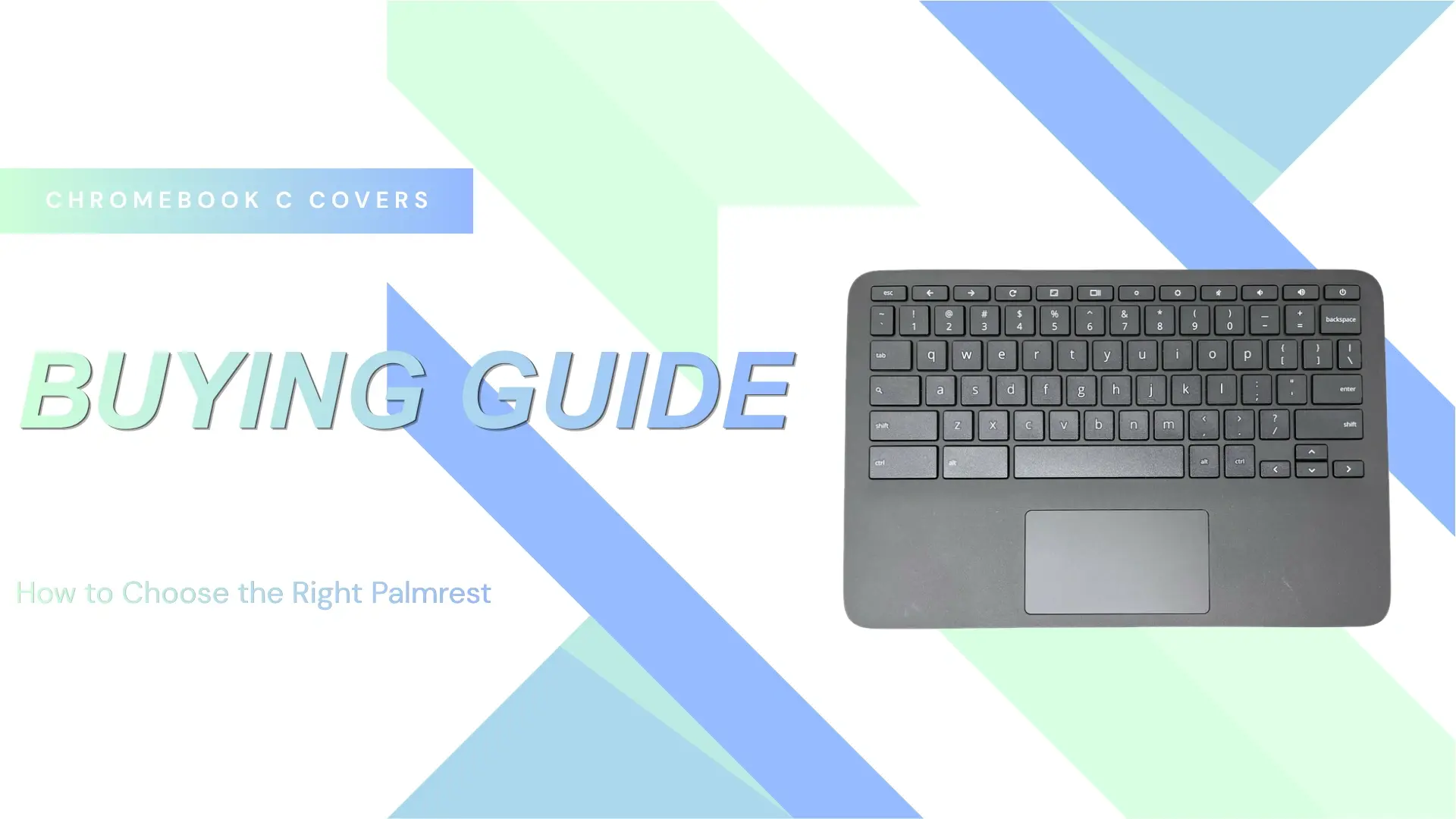
Chromebook C Cover Buying Guide: How to Choose the Right Palmrest
Choosing the correct Chromebook C cover (also called C-Shell / Bottom Base Cover) is mainly about matching a few structural variations. These differences affect compatibility, installation effort, and overall cost. Below are the key attributes you need to compare when reviewing product listings.
Coverage / Component Scope
This defines how much of the assembly is included with the Chromebook C cover.
Palmrest Only
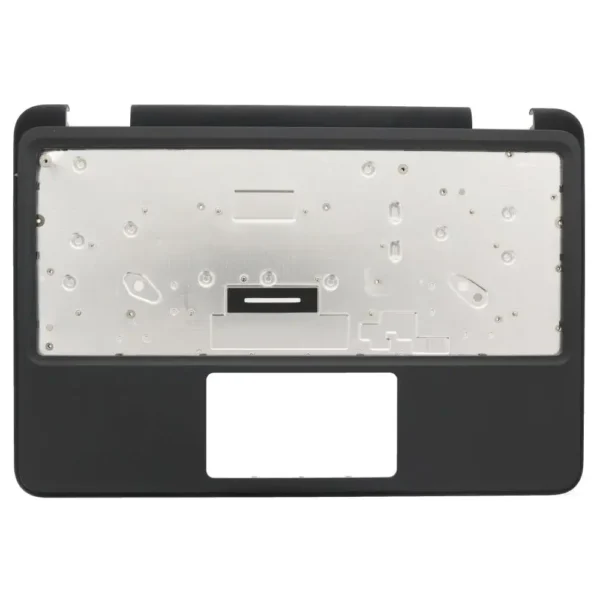
(Dell 3110 Palmrest 0WP30N)
This is the bare upper case without internal components such as the keyboard or touchpad. It is the most basic and lowest-cost option, but requires transferring all existing parts from the original unit. It is typically used when only the housing is damaged.
Palmrest with Keyboard
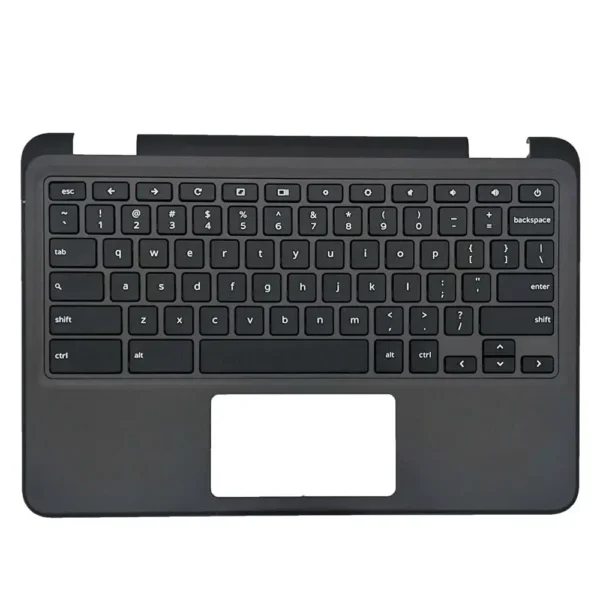
(Dell 3110 Palmrest with Keyboards 0WP30N)
This version includes a pre-installed keyboard but no touchpad. It reduces repair time if the keyboard is faulty, while still requiring reuse of the original touchpad. It sits in the middle in terms of cost and installation effort.
Palmrest with Keyboard and Touchpad
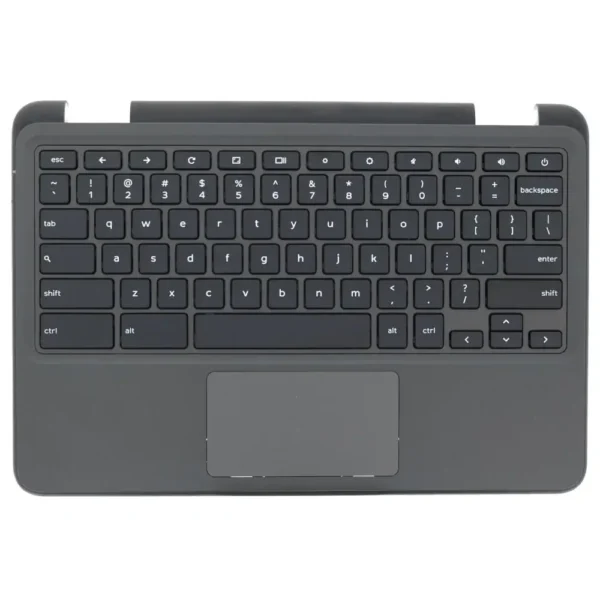
(Dell 3110 Palmrest with Keyboards and Palmrest 0WP30N)
This is a full top case assembly with both keyboard and touchpad pre-installed. It is the most complete and easiest to install option, often preferred for bulk repairs or when multiple components are damaged. The tradeoff is a higher price.
Why it matters:
Selecting the wrong scope can either increase unnecessary cost (buying a full assembly when not needed) or increase labor (buying a bare palmrest when multiple components must be replaced).
World Facing Camera (WFC) Cutout
What is a WFC?
A World Facing Camera (WFC) is a secondary camera mounted on the keyboard side of the Chromebook (not the screen side). It’s commonly used in education models for:
- Scanning documents
- Augmented reality (AR) apps
- Classroom projects
Why it matters
If your Chromebook has a WFC, the C cover must include a cutout for the camera module. Otherwise:
- The camera will be blocked
- The cover won’t fit properly
How to identify
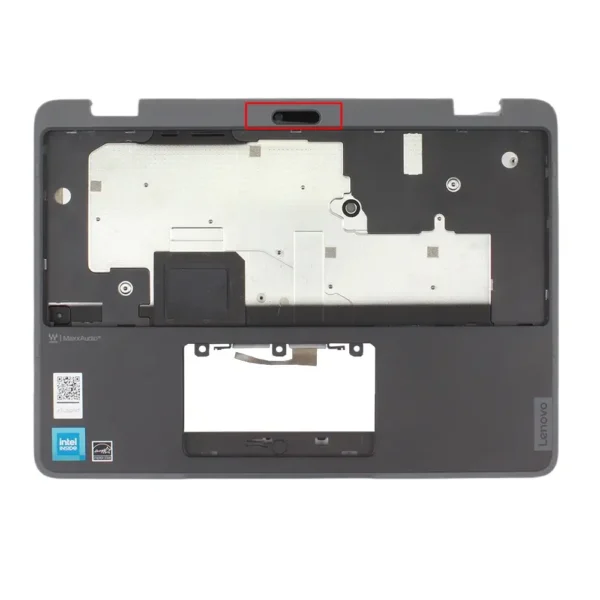
(Lenovo 500e Gen 4 Palmrest (WFC) 5CB1L47310)
- Look for a small circular or rectangular hole near the keyboard area (often top-center or top-left)
- Check your original device: does it have a camera on the keyboard deck?
- Review your model specs (e.g., education-focused devices from Lenovo, Dell, or HP often include WFC)
When required
- Common in rugged/education Chromebooks like Lenovo 500e and Dell 3110 models.
- Rare in consumer models
Stylus Pen Hole (Stylus Garage)
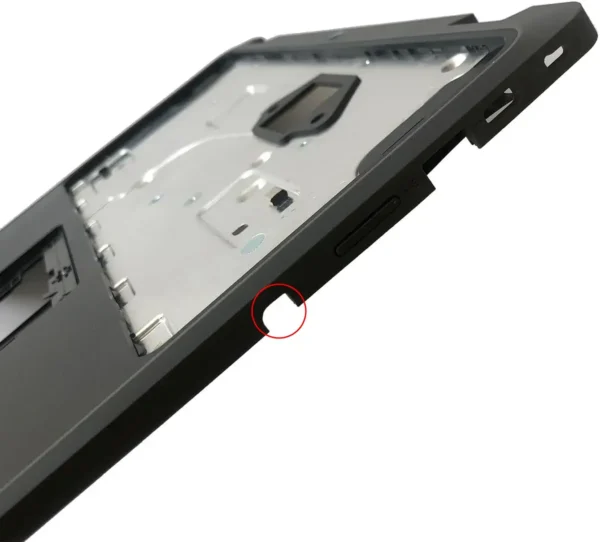
(Acer R756T Palmrest with Stylus Port 63.KEAN7.001)
Some Chromebooks include a built-in stylus that is stored inside the chassis. In these cases, the C cover will have a dedicated slot or opening to accommodate it. It typically along the front or side edge of the palmrest and appears as a narrow slot or cylindrical opening.
Why it matters:
If the device supports a garaged stylus, the C cover must include the correct slot. Otherwise, the stylus cannot be stored properly and, in some models, may not charge.
This feature is commonly found in 2-in-1 or education Chromebooks, especially from Lenovo and HP.
Logo Presence
C covers are available either with an OEM logo or without branding.
Why it matters:
Logo choice mainly affects appearance and procurement requirements. Schools, enterprises, or resellers often prefer original branding for consistency, while unbranded versions are typically more cost-effective and easier to source.
Covers may carry logos from manufacturers such as Acer, Dell, HP, or Lenovo.
Final Checklist Before Purchase
Confirm the following before placing an order of chromebook c cover:
- Exact Chromebook model and part number
- Required assembly type (palmrest only, with keyboard, or full assembly)
- Whether a WFC cutout is needed
- Whether a stylus garage is required
- Logo requirement (OEM logo or no logo)