Chromebook Cover Buying Guide: How to Choose the Right Cover
Choosing the right Chromebook cover is more important than many buyers realize. A Chromebook’s top and bottom covers are not just cosmetic parts — they directly affect durability, connectivity, usability, and even device compatibility.
Whether you are replacing a damaged cover, refurbishing a school Chromebook, or upgrading a device for resale, understanding the key features of Chromebook covers can help you avoid compatibility issues and unnecessary returns.
This guide explains the most important top cover and bottom cover features, what they do, and why they matter when selecting replacement parts.
Understanding Chromebook Covers
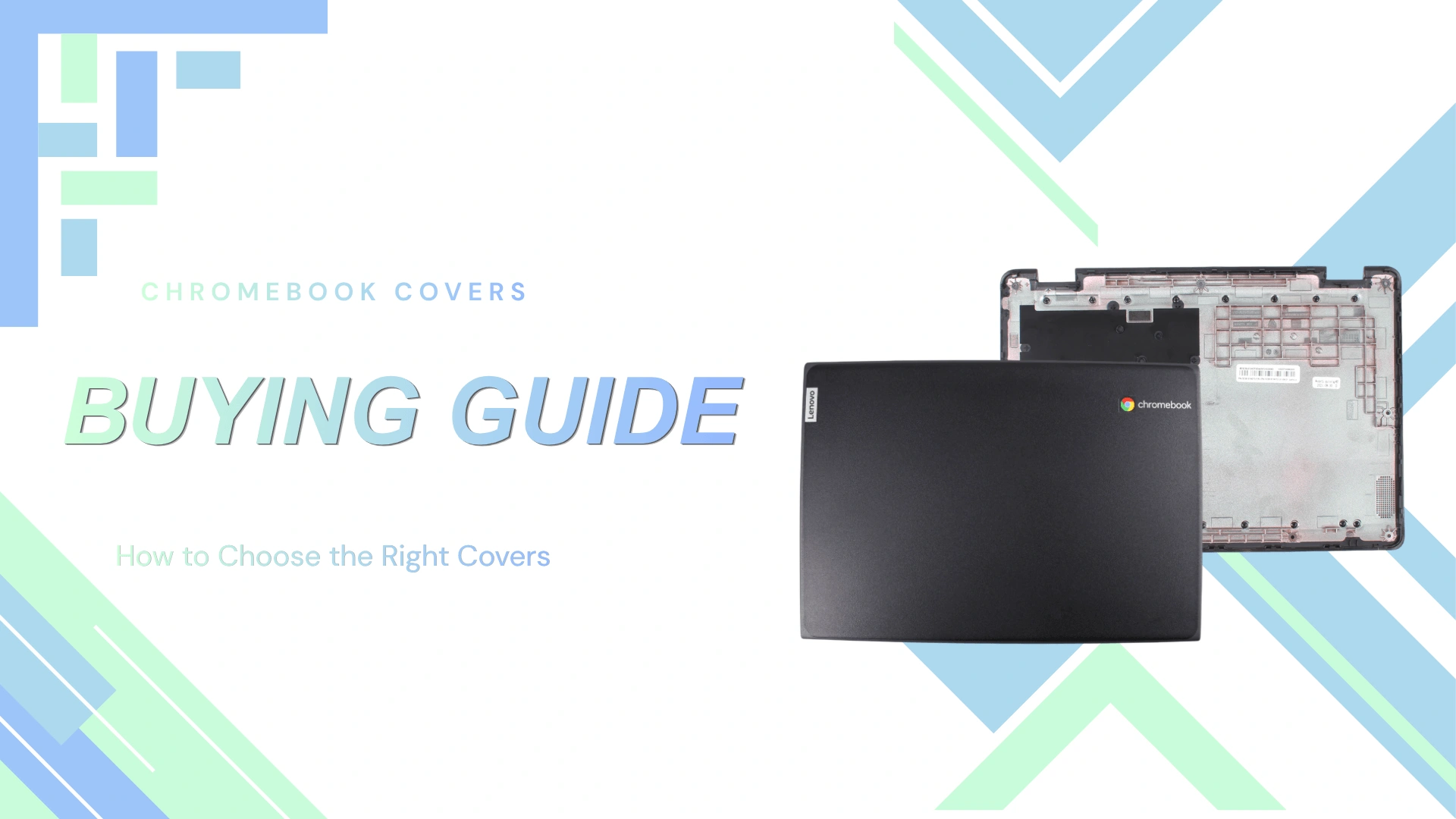
Chromebook covers are generally divided into two major parts:
- Top Cover (LCD Back Cover/ Lcd Rear Lid) — the outer rear shell behind the display
- Bottom Cover (Base Cover) — the lower shell attached to the keyboard and motherboard assembly
Although these parts may look similar across models, small design differences can significantly impact compatibility and functionality.
Top Cover Features
Antenna Presence
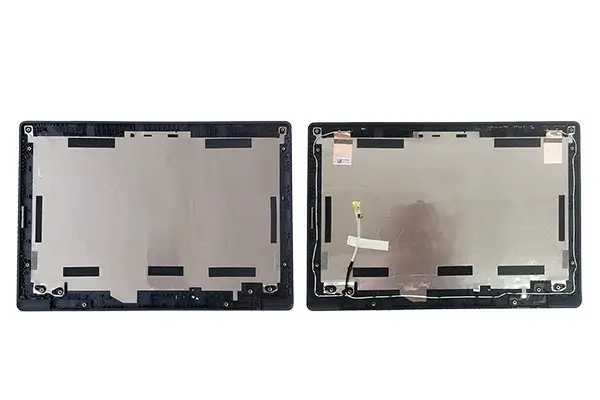
One of the most important features to choose a Chromebook top cover is whether it includes built-in wireless antennas.
What Does the Antenna Do?
The antenna is responsible for enabling:
- Wi-Fi connectivity
- Bluetooth communication
- Stable wireless signal reception
In many Chromebook designs, the Wi-Fi antennas are mounted directly inside the display cover assembly rather than on the motherboard itself.
Why It Matters
If you purchase a top cover without antennas, the additional installation work transferring old antenna components needed.
For repair technicians and refurbishers, choosing a cover with pre-installed antennas can save significant installation time.
| Feature | Importance |
|---|---|
| Pre-installed antennas | Essential for easy installation and reliable connectivity |
| No antennas included | Acceptable only if transferring existing antennas |
G-Sensor Board
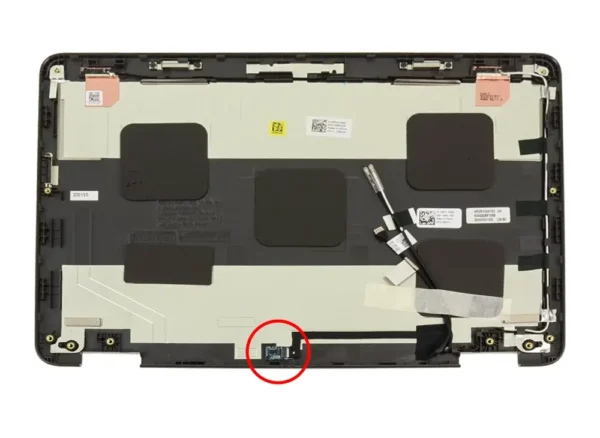
Some Chromebook top covers include a G-sensor board, particularly in convertible or 2-in-1 Chromebook models.
What Is a G-Sensor?
A G-sensor (gravity sensor or accelerometer) detects device orientation and movement.
It allows the Chromebook to:
- Automatically rotate the screen
- Switch between laptop and tablet modes
- Improve motion-based functionality
Why It Matters
Without a compatible G-sensor board:
- Auto-rotation may stop working
- Tablet mode detection may fail
- Certain touchscreen functions may behave incorrectly
This feature is particularly critical for:
- Stylus-enabled Chromebooks
- 2-in-1 convertible devices
- Educational touchscreen models
Common Chromebook Types That Use G-Sensors
G-sensors are commonly found in:
- Convertible Chromebooks
- Touchscreen educational models
- Stylus-supported systems
Examples include many popular education-focused models from brands like Dell, Lenovo, and HP.
Essential or Optional?
| Feature | Importance |
|---|---|
| G-sensor board included | Essential for 2-in-1 devices |
| G-sensor not included | Fine for standard clamshell Chromebooks |
Bottom Cover Features
SD Card Slot Availability
Not all Chromebook bottom covers include the same SD card slot cutouts.
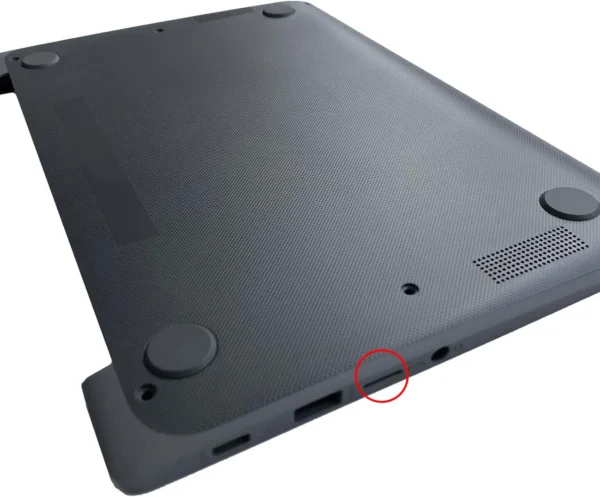
Why SD Card Access Matters
An SD or microSD card slot allows users to:
- Expand storage capacity
- Transfer photos and files
- Use removable media for classrooms or presentations
Why It Is Important During Replacement
If the replacement bottom cover lacks the correct slot opening:
- The SD card reader may become inaccessible
- The device may lose practical storage functionality
- Ports may not align properly
Best for These Users
SD card support matters most for:
- Students
- Photographers
- Users with limited internal storage
- Chromebook users who frequently transfer files
USB-C Port Compatibility
USB-C ports are now standard on most modern Chromebooks, and the bottom cover must match the device’s port layout precisely.
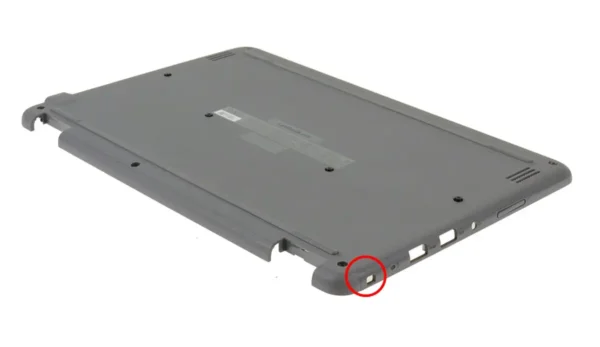
What USB-C Supports
USB-C ports can handle:
- Charging
- Data transfer
- External displays
- Docking stations
- Peripheral connectivity
Why Proper Alignment Matters
A poorly matched bottom cover can:
- Block the USB-C port
- Prevent cable insertion
- Cause structural pressure around the connector
Because USB-C ports are heavily used daily, accurate port cutouts are extremely important.
Essential or Optional?
| Feature | Importance |
|---|---|
| Correct USB-C cutout | Essential |
| Extra unused cutouts | Usually cosmetic only |
Stylus Cutout
Some Chromebook bottom covers include a built-in stylus storage slot or cutout.
What Is the Stylus Cutout For?
Stylus-enabled Chromebooks often include:
- A garaged stylus slot
- Magnetic pen storage
- Charging space for USI pens
Why It Matters
If the replacement cover lacks the stylus cutout:
- The pen may no longer fit inside the device
- Stylus charging may stop functioning
- Users may lose convenient storage access
Important for Education Devices
Stylus storage is particularly important for:
- Students
- Digital note-taking
- Drawing applications
- Classroom testing environments
Essential or Nice-to-Have?
| Feature | Importance |
|---|---|
| Stylus cutout present | Essential for stylus models |
| No stylus support | Fine for standard Chromebooks |
Rubber Feet
Rubber feet may seem minor, but they play an important role in everyday durability and usability.
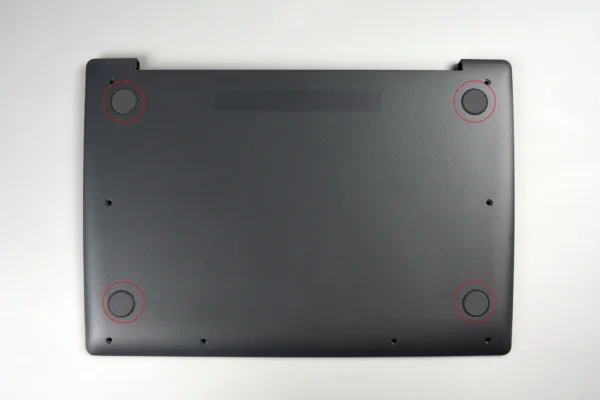
What Rubber Feet Do
Rubber feet help:
- Prevent slipping
- Improve airflow and cooling
- Protect surfaces from scratches
- Reduce wear on the bottom cover
Why Buyers Should Care
Missing or low-quality rubber feet can cause:
- Reduced device stability
- Increased scratches
- Poor ventilation
- Faster cosmetic wear
For schools and high-use environments, durable rubber feet are especially valuable because devices are moved frequently.
Best Choice
Covers with factory-installed rubber feet are generally preferred because:
- Installation is easier
- Adhesion quality is better
- Fitment is more reliable
Screws and Structural Integrity
The screw layout and structural design of the bottom cover directly affect the Chromebook’s overall durability.
Why Screws Matter
Proper screw placement helps:
- Secure internal components
- Prevent flexing
- Protect the motherboard
- Maintain chassis rigidity
Potential Problems With Poor Compatibility
Incorrect covers may lead to:
- Misaligned screw holes
- Loose fitting
- Chassis creaking
- Increased pressure on internal components
In school environments where Chromebooks are frequently dropped or carried in backpacks, strong structural integrity becomes extremely important.
What to Look For
Buyers should verify:
- Matching screw hole positions
- Reinforced mounting points
- Proper clip and latch alignment
Buying Considerations: Which Features Matter Most?
Different users prioritize different Chromebook cover features.
For Students and Schools
Most important features:
- Durable rubber feet
- Strong screw structure
- Stylus storage
- G-sensor compatibility for touch devices
Educational Chromebooks experience heavy daily use, so durability is critical.
For Business Users
Most important features:
- Reliable antenna support
- Proper USB-C access
- Professional cosmetic condition
Business users often depend heavily on stable wireless connectivity and docking support.
For Refurbishers and Repair Shops
Most important features:
- Pre-installed antennas
- Included rubber feet
- Complete screw sets
- Exact port alignment
These features reduce installation time and minimize return rates.
For Casual Home Users
Most important features:
- Correct fitment
- Functional ports
- Cosmetic appearance
Advanced features like G-sensors may be less important unless using a convertible Chromebook.
Final Tips Before Purchasing
Before buying a Chromebook cover, always verify:
- Exact Chromebook model compatibility
- Port layout alignment
- Presence of antennas
- Stylus support
- Screw hole positioning
- Rubber foot condition
- G-sensor compatibility for 2-in-1 devices
Even covers that look visually identical may have small internal differences that affect installation or functionality.
Conclusion
A Chromebook cover does far more than protect the device externally. The right top and bottom covers help ensure reliable connectivity, proper device functionality, structural durability, and long-term usability.
Features like antennas, G-sensor boards, USB-C cutouts, stylus storage, rubber feet, and screw alignment all play important roles depending on how the Chromebook is used.
By understanding these key specifications before purchasing, customers can confidently choose compatible Chromebook covers that match their needs and avoid costly compatibility mistakes.